


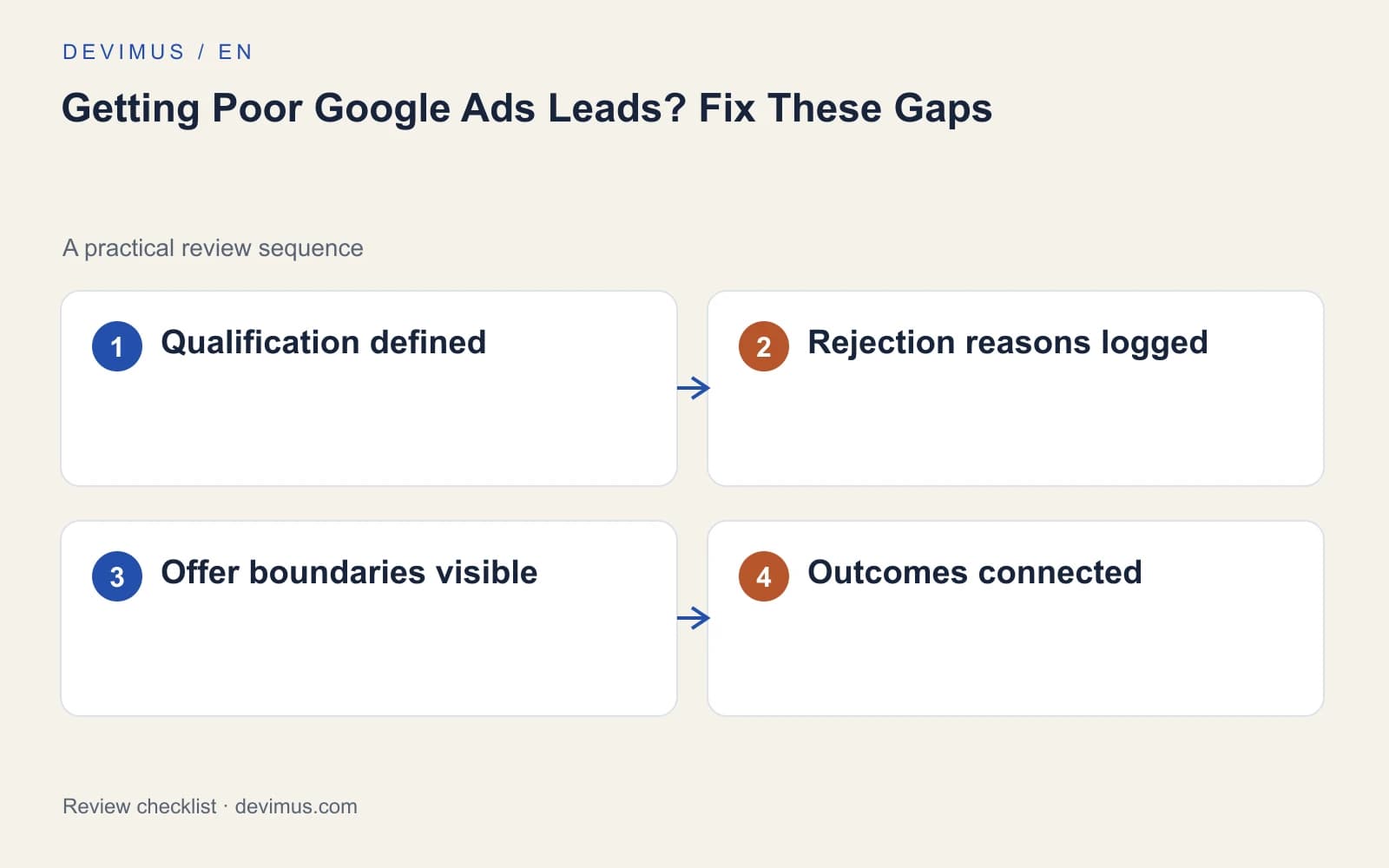
Poor Google Ads leads usually come from a gap between what your ads promise, who they reach and what your team counts as a good enquiry. More enquiries are not always more business. If campaigns bring requests from outside your area, below your project scope or for services you do not offer, find the mismatch before you raise spend. Start by agreeing what a qualified lead is, then let your offer filter people honestly, and finally feed real outcomes back into the account.

What counts as a poor-quality lead?
Not every disappointing enquiry has the same cause, and each type needs a different fix. Sort them before you change anything in the account:
- Spam or fake details: bots, sales pitches and form submissions with invalid contact information.
- Genuine but unsuitable: real people outside your area, asking for a service you do not offer, or with a project too small to be viable.
- Suitable but lost: the right kind of customer who went quiet after a slow reply or a price conversation.
The first group is mainly a form and measurement problem. The second usually points to targeting or to how the offer is described. The third often sits in the sales process, so changing keywords will not fix it. Check how quickly enquiries are answered before blaming the campaign.
How do you define a qualified lead with your sales team?
Marketing and sales need one written definition. Record service fit, location, timing and whether the person is genuinely considering a purchase. Then use a short, fixed list of rejection reasons. Without them, the person managing the campaign cannot tell poor targeting from slow follow-up or unavailable capacity.
| Rejection reason | Likely cause | Where to look first |
|---|---|---|
| Outside the service area | Location settings or vague ad wording | Location options and ad text |
| Service not offered | Broad keywords or loose match types | Search terms report |
| Project too small | Offer does not state its scope | Ads and landing page copy |
| Spam or fake details | Unprotected form or counted test entries | Form validation and conversion setup |
| No reply after first contact | Slow response or mismatched expectations | Response times and first message |
Keep the list stable for at least a few months so trends mean something. Our guide on tracking website forms, calls and qualified leads explains how to record these stages without mixing analytics and sales data.
How do you stop spam from distorting the data?
Spam costs more than the time spent deleting it. If fake submissions count as conversions, automated bidding treats them as success and may look for more traffic like it. Protect the form with server-side validation and a spam filter or challenge that real visitors can pass easily, and exclude internal tests from the conversion count.
If you use Google’s lead form assets, review the lead type setting, which lets you favour more qualified leads over higher volume. Then compare spam levels before and after each change using the rejection reasons you already log, rather than judging from a handful of memorable bad enquiries.
Which campaign settings attract the wrong enquiries?
Read the search terms behind the rejected enquiries. Broad match keywords with few exclusions often pull in research, DIY and job-related searches. Add negative keywords for patterns you have confirmed, and keep them precise so they do not block good searches too.
Next, check location options. A setting that includes people interested in your area can bring enquiries from far outside it. Confirm that search campaigns are not also running on partner or display placements you did not intend. Finally, look at which conversion action the campaign optimises towards. If any form submission counts as success, bidding has no reason to prefer good enquiries over poor ones. A structured Google Ads audit checklist covers these settings in order.
How do you qualify leads through the offer itself?
Make important boundaries visible in your ads and landing pages: service area, project type, typical lead time and a meaningful minimum scope where it applies. You do not need to publish a price list, but you can explain which factors drive cost. People who cannot be served will often self-select out, which saves time for both sides.
Ask a small number of relevant form questions, such as location or type of project, and avoid hiding exclusions until the sales call. A lower enquiry count can be worthwhile if the remaining conversations fit the business better. For page structure and wording, see what makes landing pages for service businesses convert the right visitors.
How do you feed real outcomes back into Google Ads?
Where your setup supports it, record which leads became qualified and which became customers, then use that data in Google Ads measurement. This lets bidding learn from outcomes instead of raw form submissions. It needs consistent lead stages in your CRM and a reliable way to match each lead to the original click. Start with the stage your team records most reliably, such as a qualified enquiry, before adding won deals with their longer delay. Check consent rules and platform requirements before sending any customer data.
Review cost per qualified enquiry alongside won work and response times, ideally in one marketing dashboard that shows where clients come from. Test one meaningful change at a time and let the sales cycle mature before deciding whether it worked.
An example to apply
Illustrative scenario, not a client case study.
Suppose a business sells complete office fit-outs but keeps receiving requests for small domestic repairs. Review the search terms and the wording of the offer together. Add negatives for the domestic repair searches you can confirm, make the commercial project scope explicit on the page, then check whether rejection reasons change over the following weeks. A higher-quality lead is defined by fit, not by how much form data it contains.
Discuss your project
Bring Devimus examples of good and poor enquiries, with personal details removed. We will review targeting, landing page promises and conversion definitions, and show which gap to close first.
Explore the relevant service · Request a free estimate